Asset Finder
An offline tool for finding and previewing creative assets across libraries and projects.
- My contribution
- Workflow direction, technical requirements and hands-on testing, with implementation assistance from OpenAI Codex.
- Project tools
- HTML · CSS · JavaScript · PowerShell / WinForms · Python · C# / .NET 10 · WPF · WebView2 · SQLite · Three.js · OpenAI Codex
Finding what is already available
I wanted to make models, textures and scene files easier to find across libraries and projects. After exploring photo organization with Codex, I took on an asset-finding tool with encouragement from my creative director on WWE’s Virtual Graphics team.
For an artist assembling a scene or kitbashing an idea, being able to see what is available helps keep attention on the creative work.
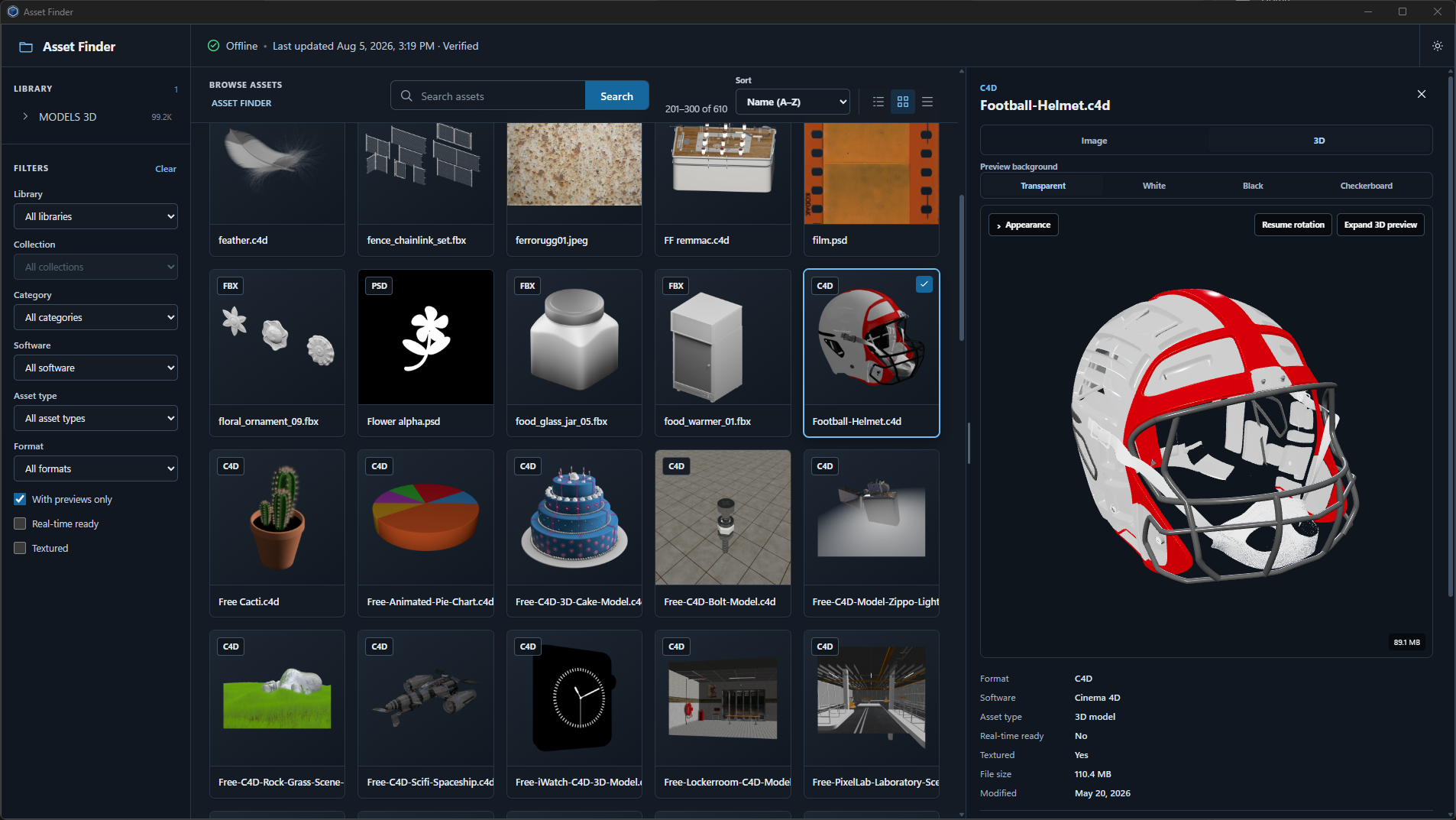
From browser catalog to Windows application
Offline operation was a core requirement. I began with a browser-based catalog and Windows scripts for indexing files and preparing previews. Testing showed that the preparation process involved too many manual steps.
I then developed a Windows application with Codex. I defined the supported software, workflow and intended behavior, and tested successive versions to refine the experience.
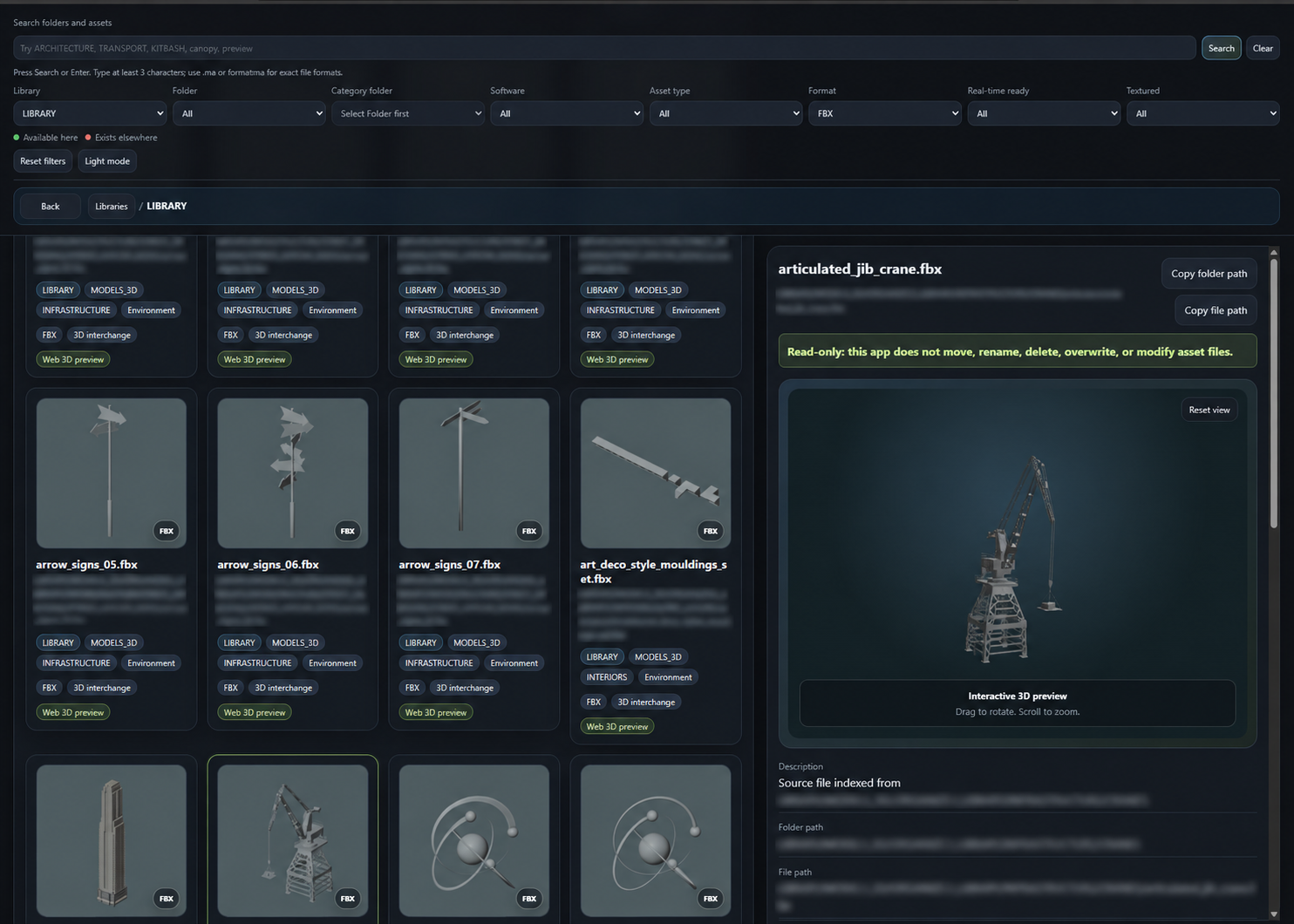
Finder and Maintainer
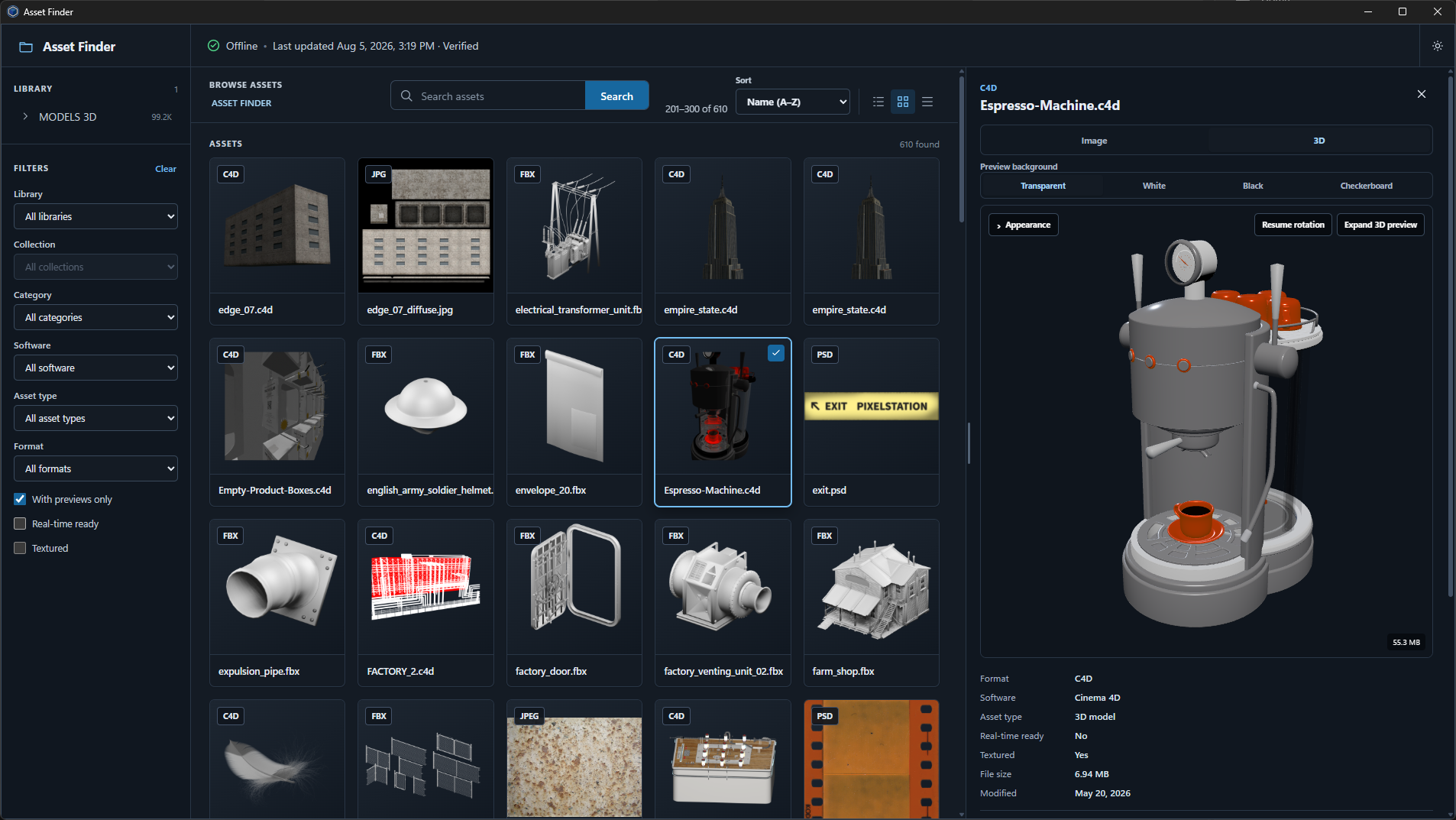
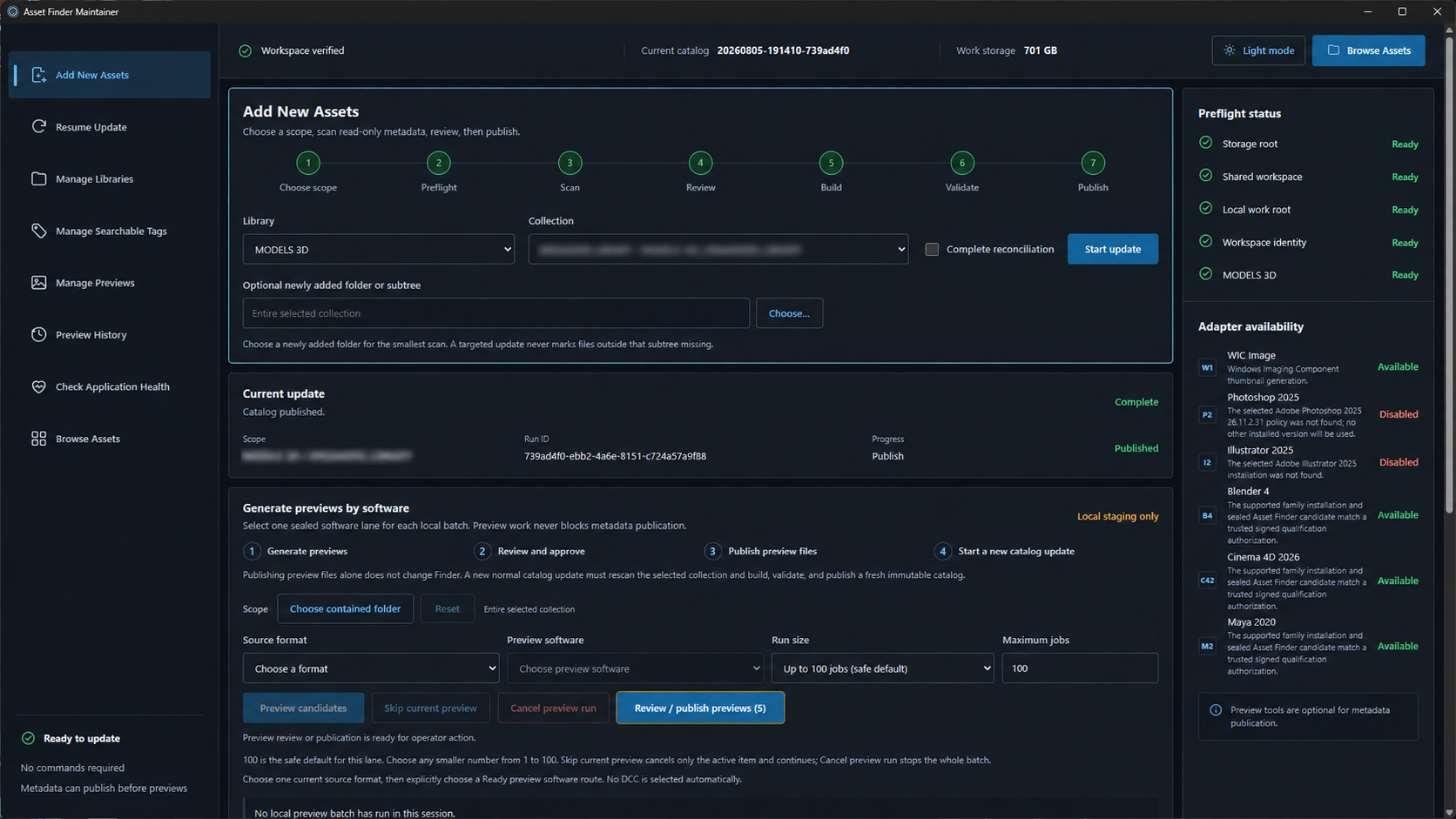
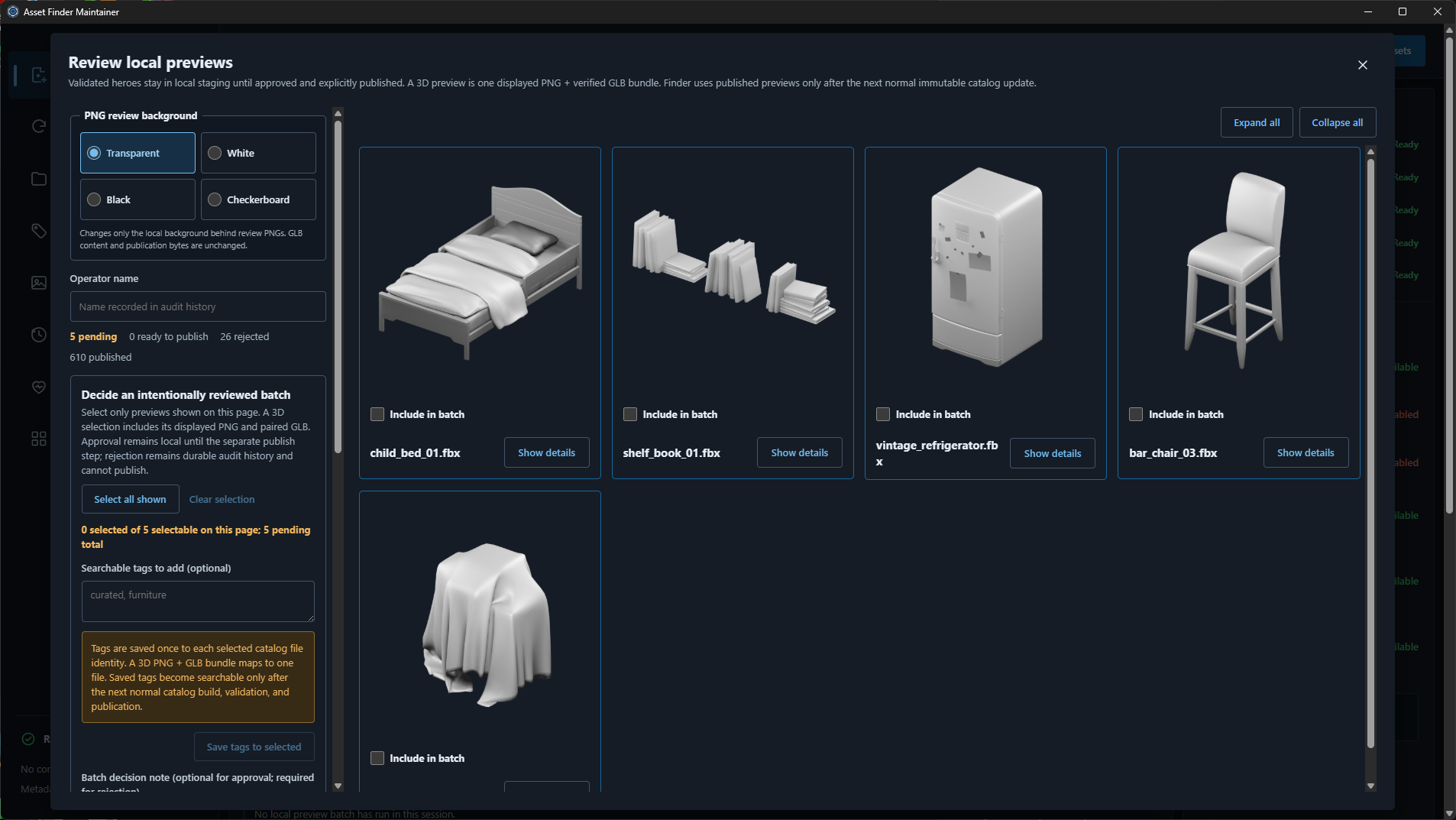
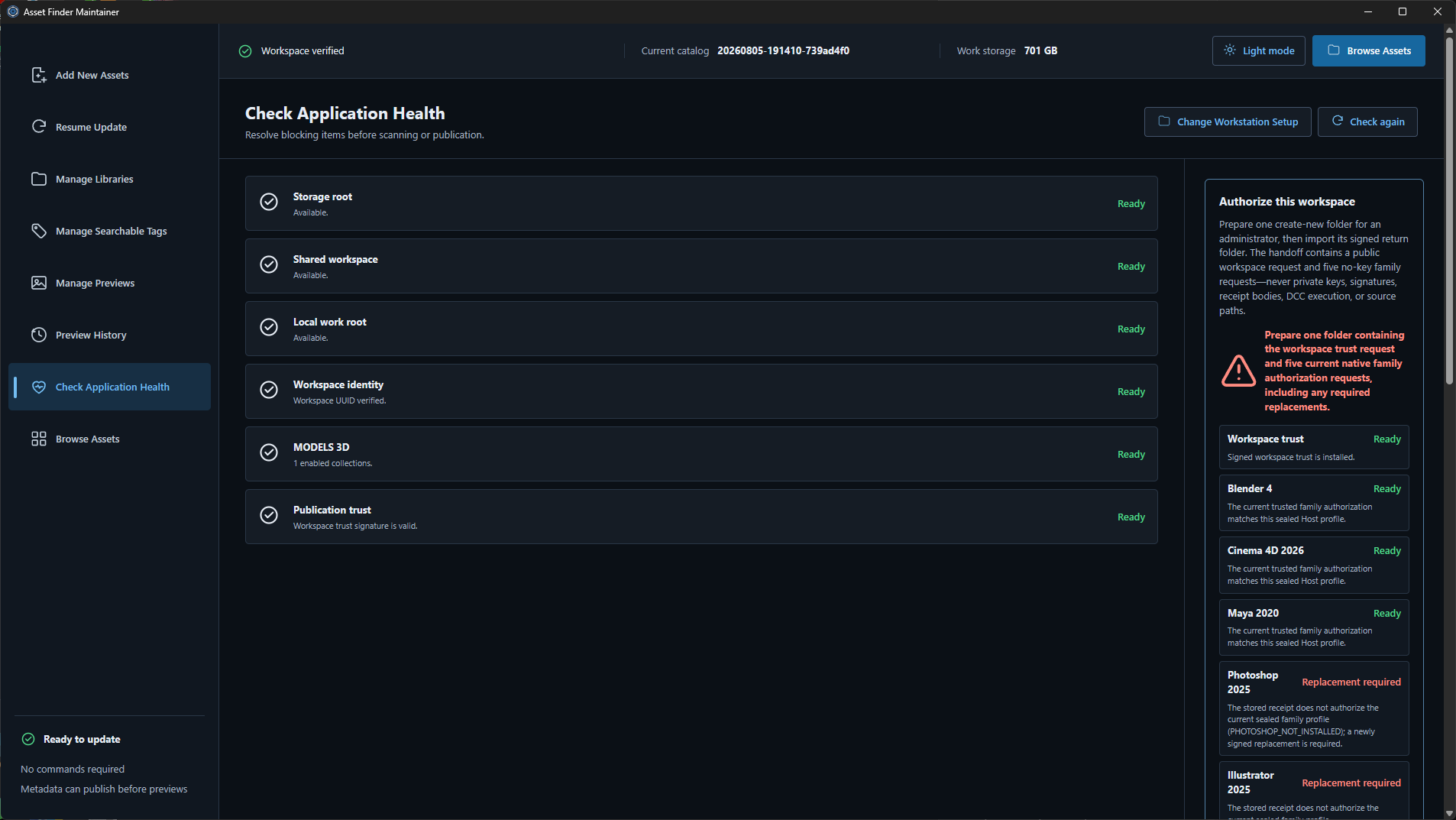
Finder provides visual browsing, search and file-location tools. Maintainer handles catalog updates and preview preparation, including reviewing previews before making them available in Finder.
The preview workflows use scripting tools in supported applications, including Maya and Cinema 4D, to prepare previews without requiring me to manually open and render each scene.
Testing produced a working version and a collection of previews. The examples shown document that testing; they do not represent a deployed WWE production workflow.